Integrate nokia series40 sdk with eclipse


Steps to download and install the Series40 SDK and integrate with eclipse:
1. Download the Series40 Sdk from Nokia SDK
2. Series 40 sdk runs only on windows.
3. Extract the file and structure should be something like:
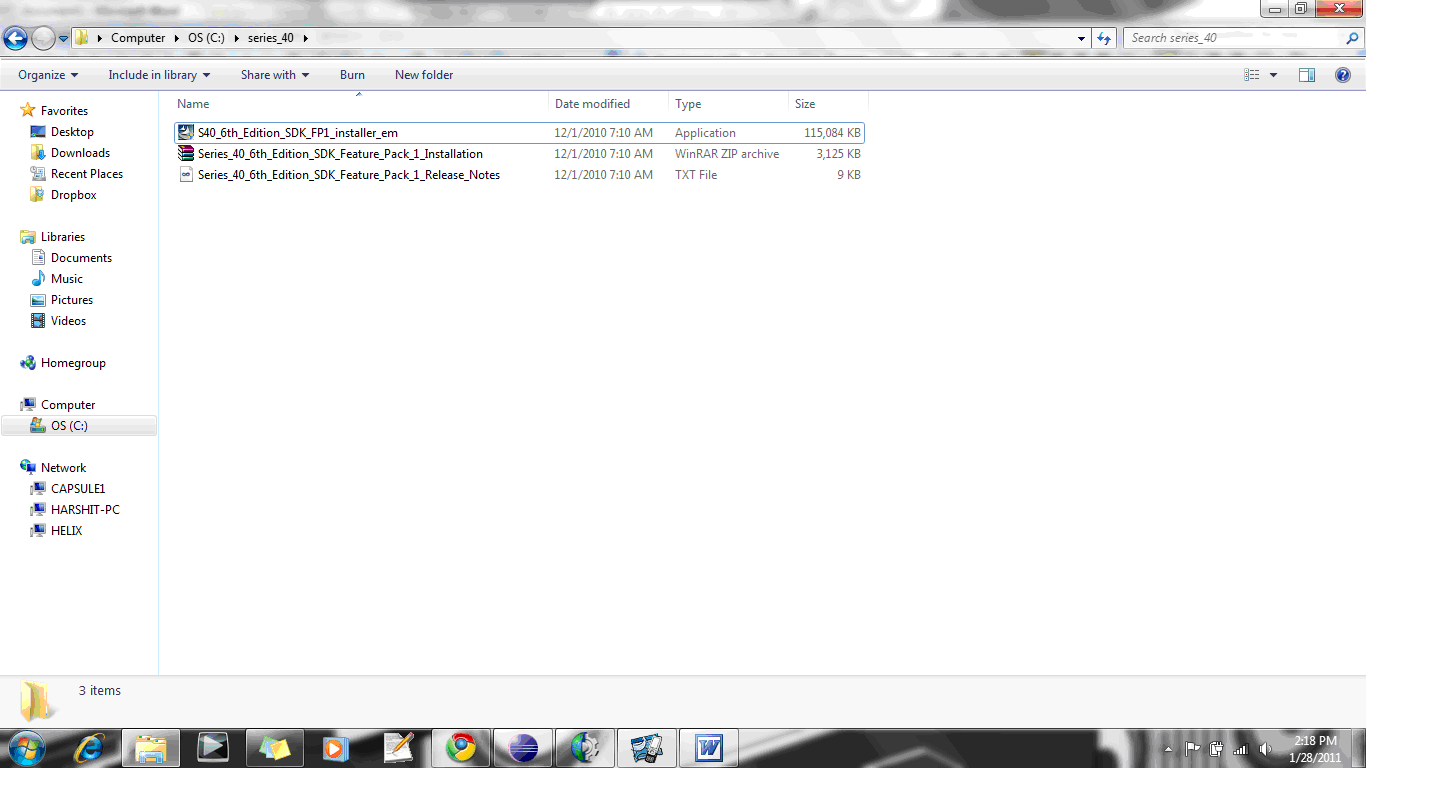
4. The folder contains a exe , zip and txt file.
5. Run the exe to install the SDK.
6. Once done extract the Series_40_6th_Edition_SDK_Feature_Pack_1_Installation.zip inside main folder. It contains a installation Pdf .
7. Open the Pdf and follow the instructions given to integrate with the Eclipse.
8. Once done, restart the eclipse.

Create the project in eclipse:
1. Create a new project J2ME -> J2ME Midlet Suite.
2. Create new Class “hello world”.
3. Type in the following code :

import javax.microedition.midlet.MIDlet;
import javax.microedition.lcdui.*;

public class HelloWorld extends MIDlet implements CommandListener {

public HelloWorld() {
}
// Display
private Display display;
// Main form
private Form form;
// For the message
private StringItem stringItem;
// For the exit command
private Command exitCommand;

public void commandAction(Command command, Displayable displayable) {
if (displayable == form) {
if (command == exitCommand) {
exitMIDlet();
}
}
}

public void startApp() {
// Create form
stringItem = new StringItem("Hello", "Hello World!");
form = new Form(null, new Item[] {stringItem});
exitCommand = new Command("Exit", Command.EXIT, 1);
form.addCommand(exitCommand);
form.setCommandListener(this);

// Get display for drawning
display = Display.getDisplay(this);
display.setCurrent(form);
}

// Your MIDlet should not call pauseApp(), only system will call this life-cycle method
public void pauseApp() {
}

// Your MIDlet should not call destroyApp(), only system will call this life-cycle method
public void destroyApp(boolean unconditional) {
}

public void exitMIDlet() {
display.setCurrent(null);
notifyDestroyed();
}

}

Run the project in Eclipse:
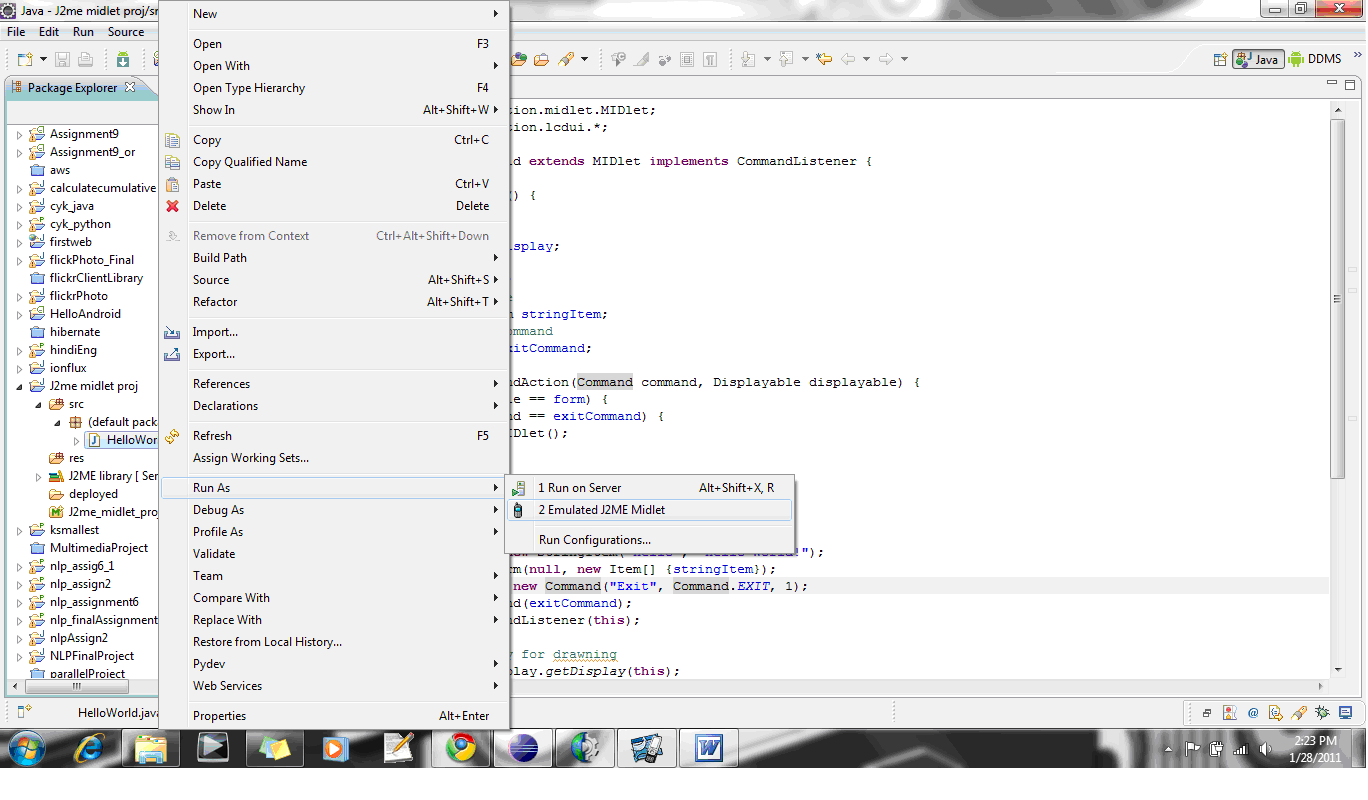
Right click on the HelloWorld Class. Select Run As -> Emulated J2ME Midlet .
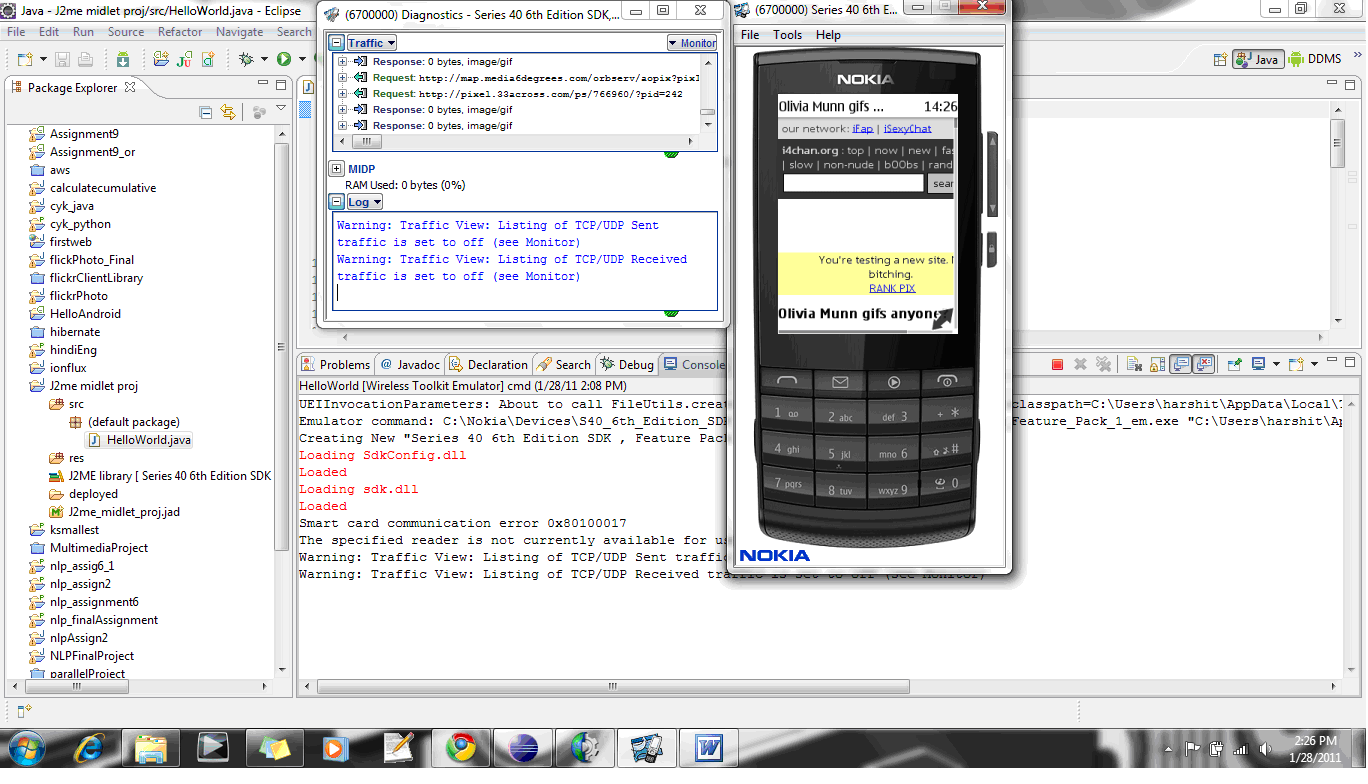
The emulator takes around 30-45 secs to start.

Once the emulator is started following screen will be up:
2010 in review


The stats helper monkeys at WordPress.com mulled over how this blog did in 2010, and here’s a high level summary of its overall blog health:

Healthy blog!

The Blog-Health-o-Meter™ reads Wow.

Crunchy numbers

Featured image

A helper monkey made this abstract painting, inspired by your stats.

Madison Square Garden can seat 20,000 people for a concert. This blog was viewed about 65,000 times in 2010. If it were a concert at Madison Square Garden, it would have performed about 3 times.

In 2010, there were 13 new posts, growing the total archive of this blog to 77 posts. There were 16 pictures uploaded, taking up a total of 933kb. That’s about a picture per month.

The busiest day of the year was June 5th with 479 views. The most popular post that day was Connecting database using Spring JdbcTemplate.

Where did they come from?

The top referring sites in 2010 were java-questions.com, dzone.com, google.co.in, stackoverflow.com, and google.com.

Some visitors came searching, mostly for spring aop tutorial, spring properties file, spring aop example, java equals, and aop tutorial.

Attractions in 2010

These are the posts and pages that got the most views in 2010.

1

Connecting database using Spring JdbcTemplate June 2010
4 comments

2

Spring AOP tutorial -I May 2009
14 comments

3

how to access properties file in Spring March 2009
2 comments

4

Use of hashcode() and equals() February 2009
12 comments

5

What is difference between == and equals() in java? March 2009
4 comments

Swing : Use JTable to display a List of Objects


Delicious
Consider I have a class Word_Analysis which contains following parameters.

class Word_Analysis {

boolean isAllCap;
String word;
int length;
boolean isInitialCap;
boolean isRoman;
boolean isDigit;
//create getter and setters
}

To display the records of Entity objects , an object of DetaultTableModel has to be created and set it to table. Some methods need to be overloaded and its mandatory to do it. Below code is the minimum methods required.

class TableModel extends AbstractTableModel{

List wordsList;
String headerList[] = new String[]{“Col1”,”Col2”,”Col3”,”Col4”,”Col5”};

public TableModel(List list) {
wordsList = list;
}

@Override
public int getColumnCount() {
return 5;
}


@Override
public int getRowCount() {
return wordsList.size();
}

// this method is called to set the value of each cell
@Override
public Object getValueAt(int row, int column) {
Word_Analysis entity = null;
entity= wordsList.get(row);

switch (column) {

case 0:
return entity.word;
case 1:
return entity.length;
case 2:
return entity.isAllCap();
case 3:
return entity.isIntialCap();
case 4:
return entity.isDigit();
case 5:
return entity.isRoman();

default :

return "";
}


 //This method will be used to display the name of columns
public String getColumnName(int col) {
return headerList[col];
}
}

Once the model class is created create the model object and set it to table

public class DisplayTable{
public static void main(String args[]){
List entityList = new ArrayList();
//set the entity objects in the list
JFrame frame = new JFrame();
JTable table = new JTable();
DefaultTableModel model = new TableModel(entityList);
JScrollPane scrollPane = new JScrollPane(table);
table.setModel(model);
frame.getContentPane().add(scrollPane, BorderLayout.CENTER);

frame.pack();
frame.setDefaultCloseOperation(JFrame.EXIT_ON_CLOSE);
frame.setVisible(true);
}
}

IntegerCache in JDK1.5


What is the O/p of following ?

Integer i1 = 20;
Integer i2 = 20;
Integer i3 = 200;
Integer i4 = 200;

if(i1 == i2){
System.out.println("True");
}else{
System.out.println("False");
}

if(i3 == i4){
System.out.println("True");
}else{
System.out.println("False");
}

if(Integer.valueOf(20) == Integer.valueOf(20)){
System.out.println("True");
}else{
System.out.println("False");
}

if(Integer.valueOf(200) == Integer.valueOf(200)){
System.out.println("True");
}else{
System.out.println("False");
}

The answer is
True
False
True
False
It is because in JDK1.5 there is a new concept called Caching Integer Objects.

Until JDK1.5 it didn’t matter whether to use Integer.valueof() or new Integer() methods to create an integer object.But with the jdk1.5 feature it is recommended to use Integer.valueOf().

Reason : In JDK1.5 the JVM caches Integer objects from range of -128 to 127 . So every time an integer object is create with value between the above mentioned range same object will be returned instead of creating the new object.

For the given statement
Integer i1 = 20.
The autoboxing features come into play which uses again the Integer.valueOf() method to create an object and every time will return same object.

Note: This will not happen for Integer i1 = new Integer(20). // Something similar to String pool

The Integer class has an inner class called IntegerCache with the following implementation.

private static class IntegerCache {
static final int high;
static final Integer cache[];

static {
final int low = -128;

int h = 127;
if (integerCacheHighPropValue != null) {
int i = Long.decode(integerCacheHighPropValue).intValue();
i = Math.max(i, 127);
h = Math.min(i, Integer.MAX_VALUE - -low);
}
high = h;

cache = new Integer[(high - low) + 1];
int j = low;
for(int k = 0; k < cache.length; k++)
cache[k] = new Integer(j++);
}

private IntegerCache() {}
}

Since its an inner class, so the 256 objects will not be created until it is called for the first time. Hence, initial loading of the first integer object will be slow as cache array with 256 objects will be created.

The valueOf() method implementation is :


public static Integer valueOf(int i) {
if(i >= -128 && i <= IntegerCache.high)
return IntegerCache.cache[i + 128];
else
return new Integer(i);
}

Spurious wakeup in Java


If a waiting thread wakes up without notify being called it is called Spurious wakeup.
synchronized (obj) {
while (<condition does not hold>)
obj.wait();
… // Perform action appropriate to condition

}

}

This is the standard idiom to use wait() method.  In above scenario if a notify() is sent by any other thread then the condition will not hold and wait() will be skipped. Consider if there is no while loop and some other thread calls notify before wait() is called by this thread, then it may happen that it could wait forever or till next notify is called.

The javadoc of wait method in JDK 5 has also been updated

A thread can also wake up without being notified, interrupted, or timing out, a so-called spurious wakeup. While this will rarely occur in practice, applications must guard against it by testing for the condition that should have caused the thread to be awakened, and continuing to wait if the condition is not satisfied. In other words, waits should always occur in loops

Src : Effective Java By Joshua Bloch